Software Engineer based in Ethiopia with 4 years of experience specializing in TypeScript, Next.js, React, TanStack, Node.js, PostgreSQL, and Golang. I build full-stack applications—from greenfield development and prototyping to debugging production issues, maintaining legacy codebases, and architecting systems.
Sequence Diagram
Continuous Education PlatformThe following diagrams illustrate the core user workflows across all roles in the system. Each diagram captures a specific interaction between actors and the system, showing the sequence of messages exchanged.
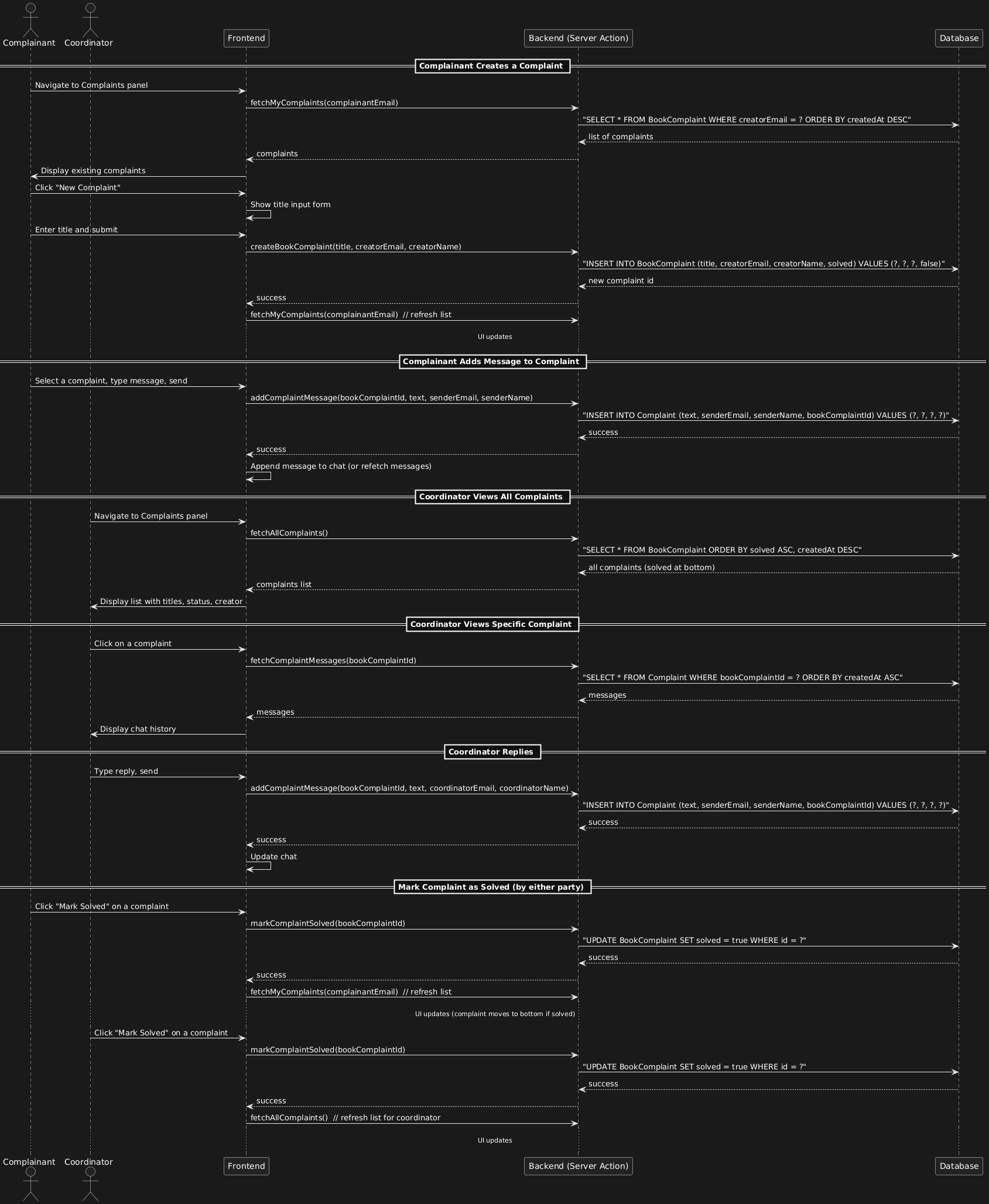
Complaint handling workflow: users (students/instructors) create complaints with a title and exchange messages with coordinators. Coordinators see all complaints ordered by creation, with solved ones at the bottom. Either party can mark a complaint as solved, updating its status.
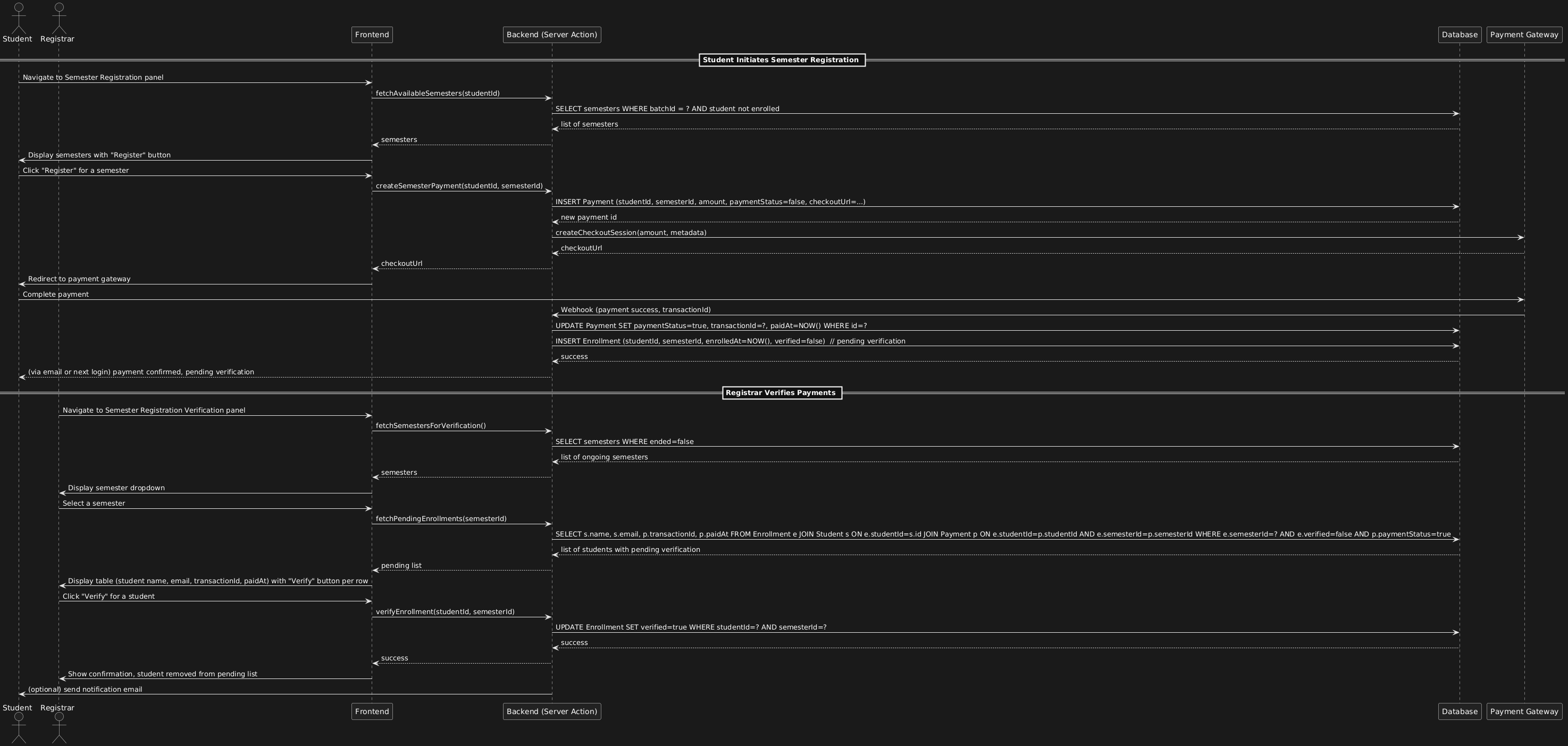
Student registers for a semester by paying online; payment is recorded and enrollment marked as pending. Registrar later reviews payments for a selected semester and verifies students, completing their enrollment.
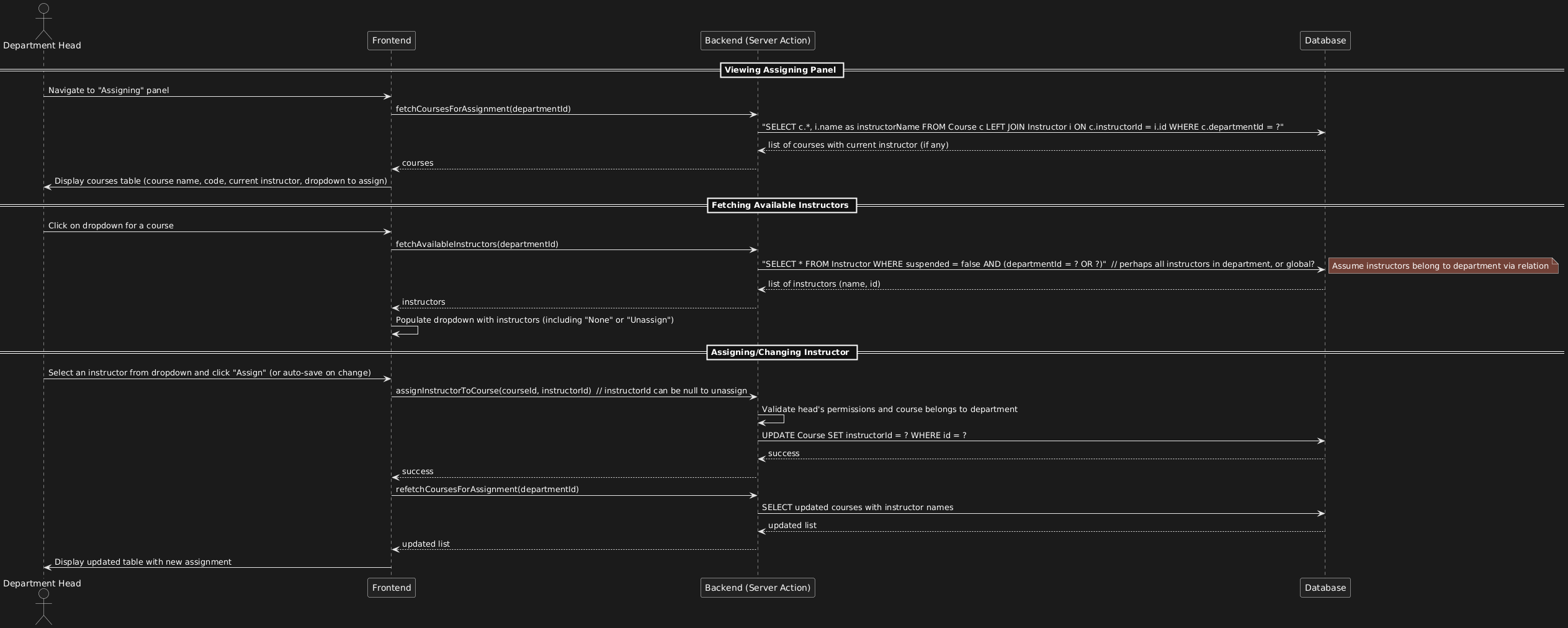
Department head assigns instructors to courses via a dedicated panel, seeing current assignments and selecting from available instructors.
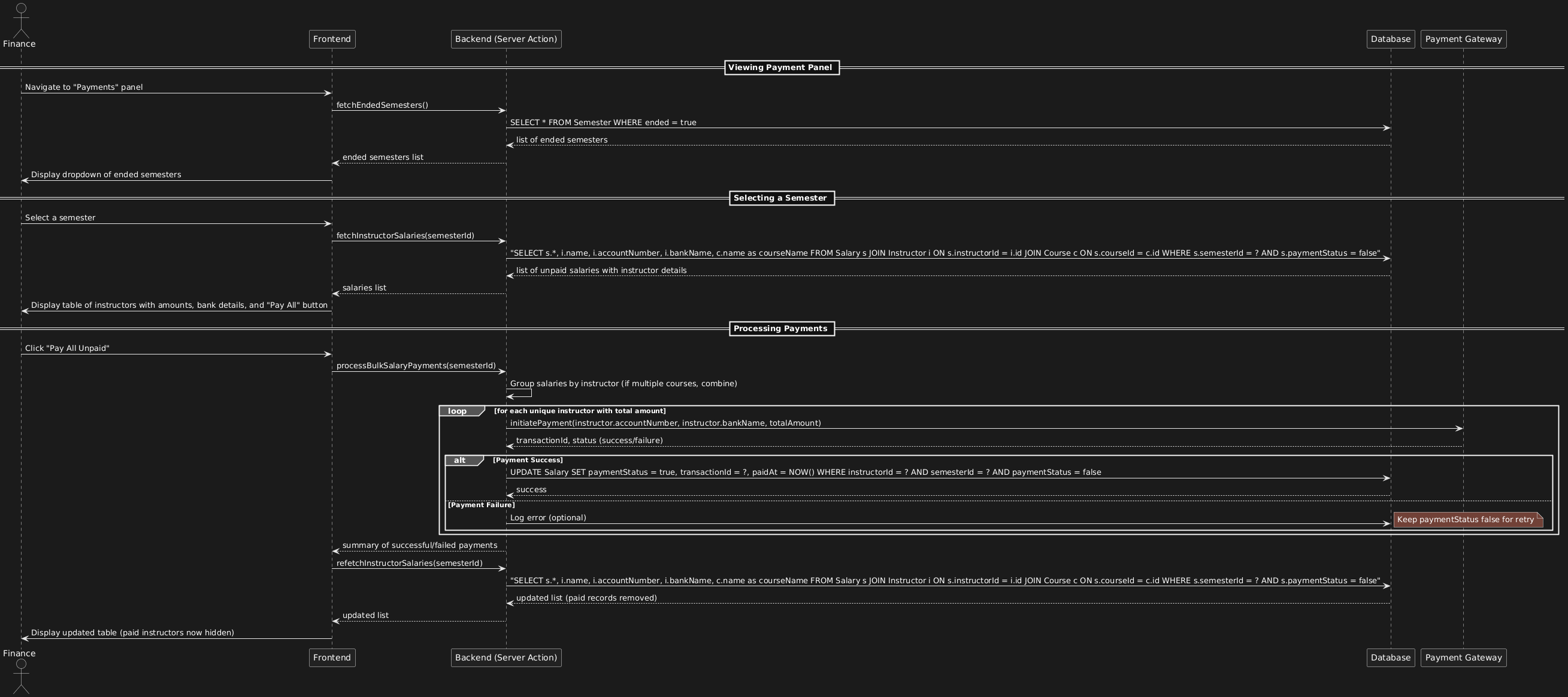
Finance officer selects an ended semester, views unpaid instructor salaries, and triggers bulk payment via integrated payment gateway, which updates the system with transaction details.
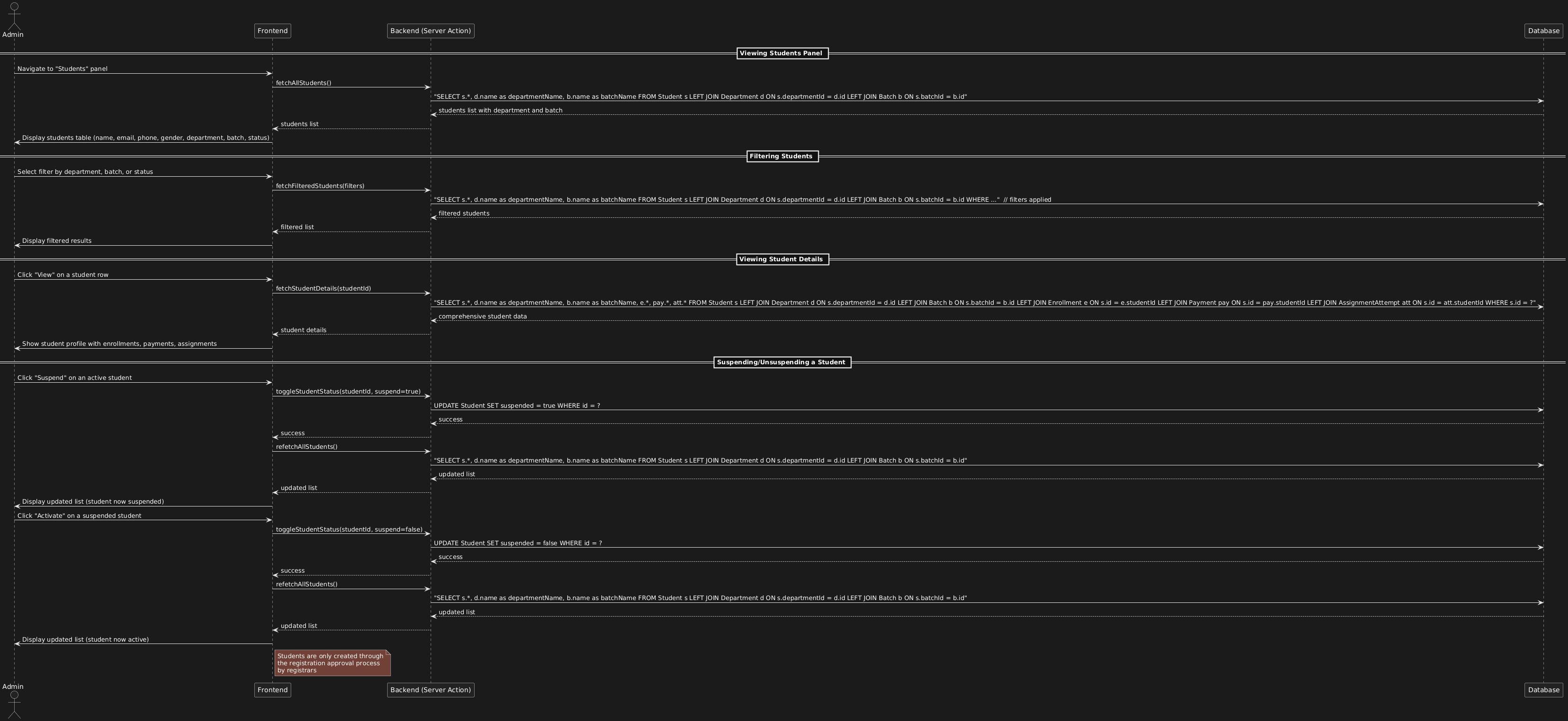
Admin manages students: view list with filtering, view detailed profile, and suspend/activate accounts.
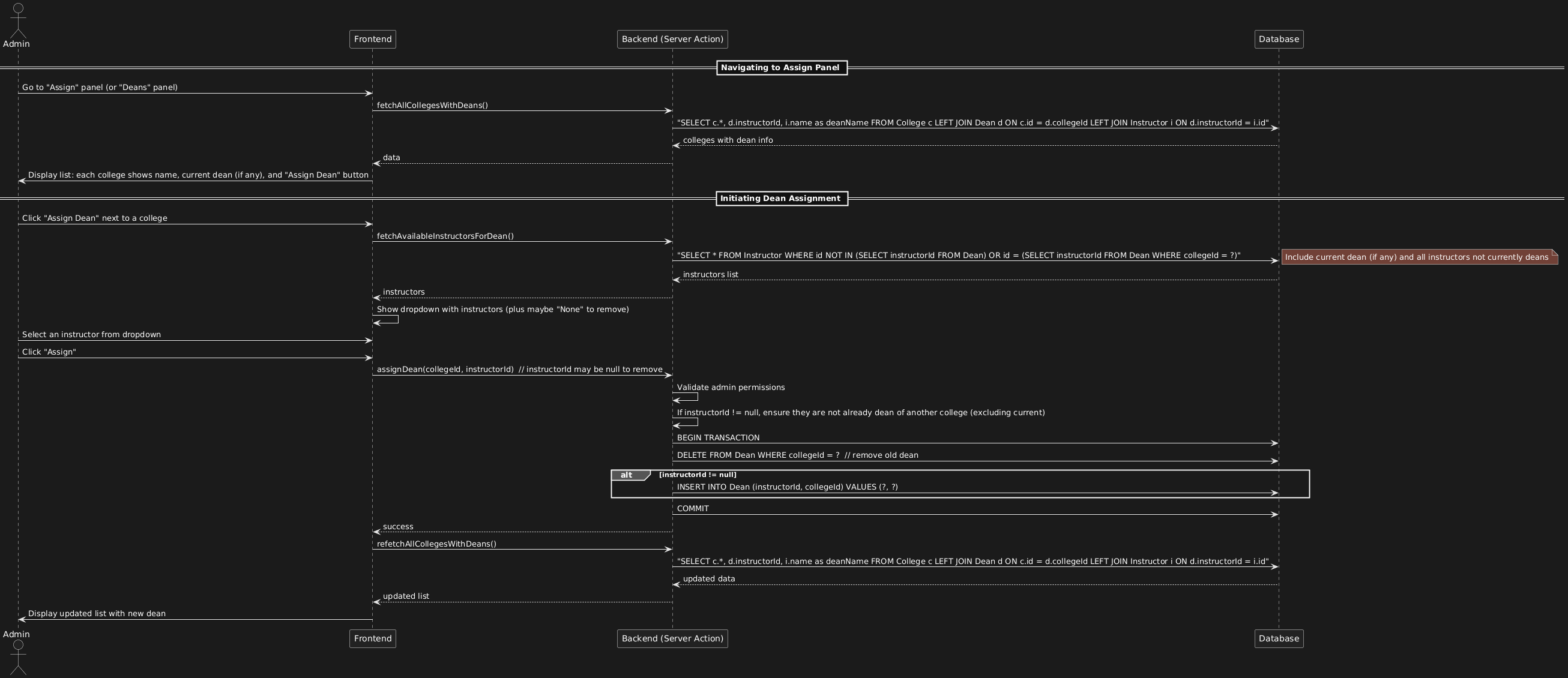
Admin assigns a college dean by selecting from all instructors (ensuring no instructor is dean of multiple colleges). The "Assign" panel shows current deans and allows changes.
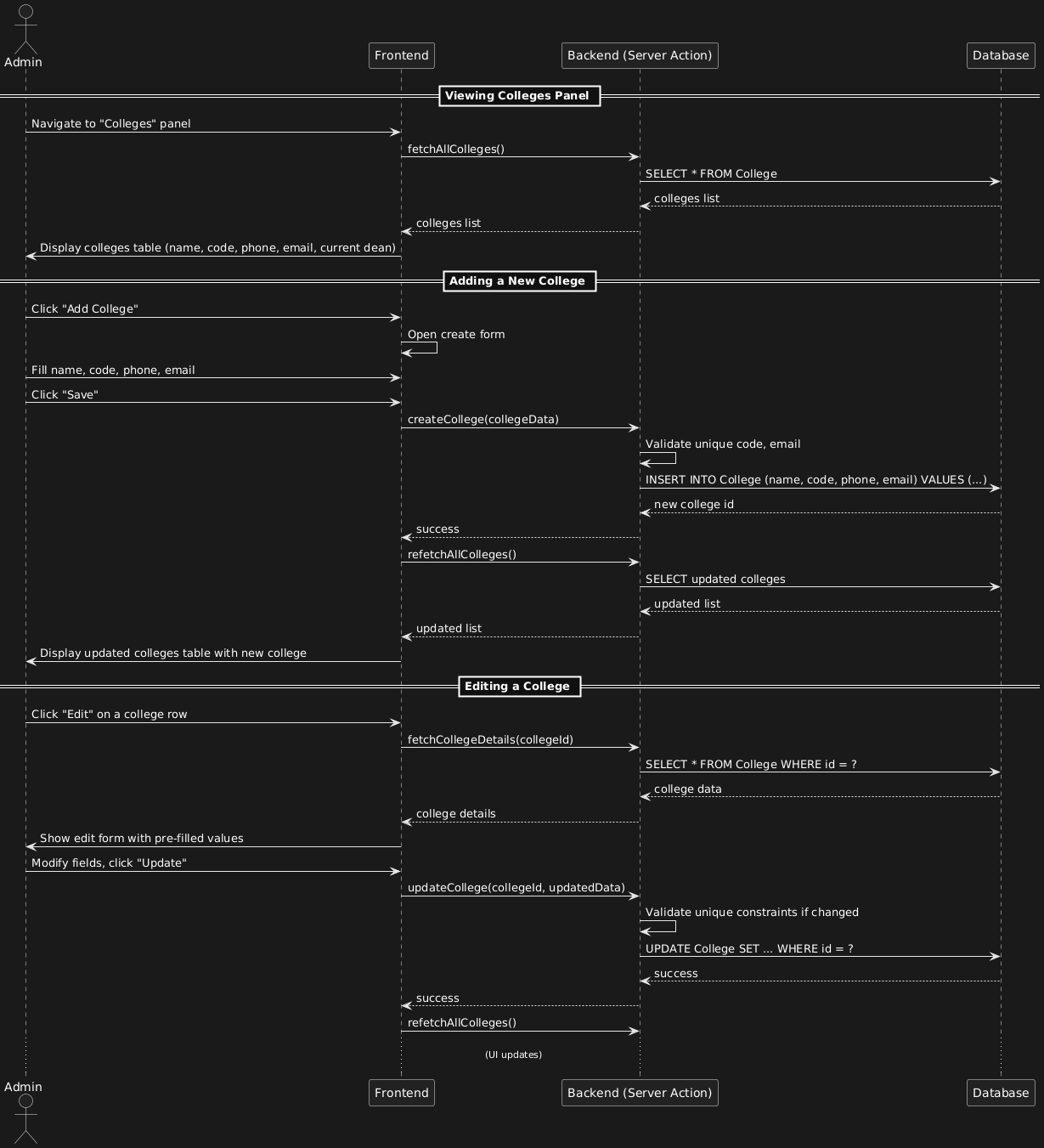
Admin can view all colleges, add new ones, and edit existing college details.
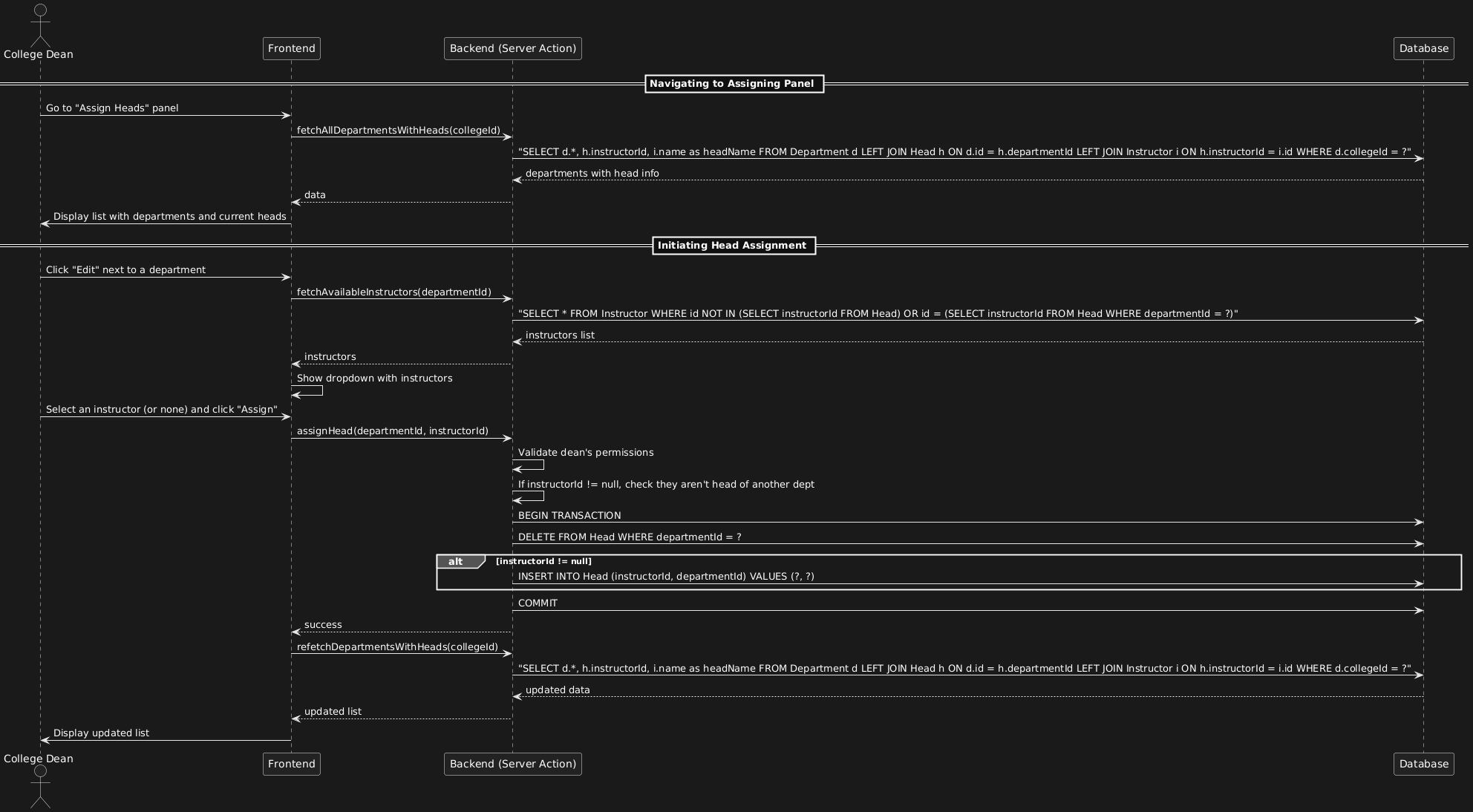
College Dean assigns a department head by selecting an instructor from the full list of instructors (including those not yet assigned to any department). The system ensures an instructor can be head of only one department.
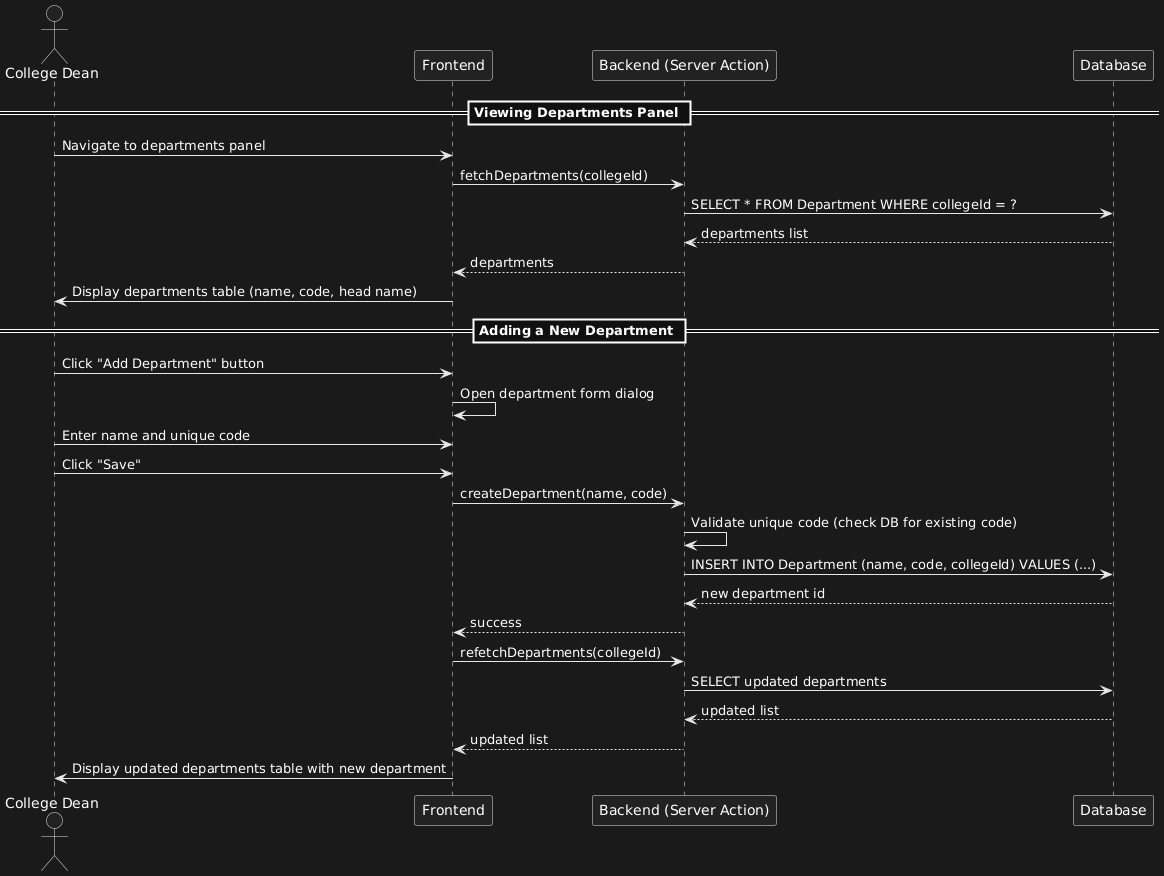
College Dean adds a new department to the college by providing a name and a unique code.
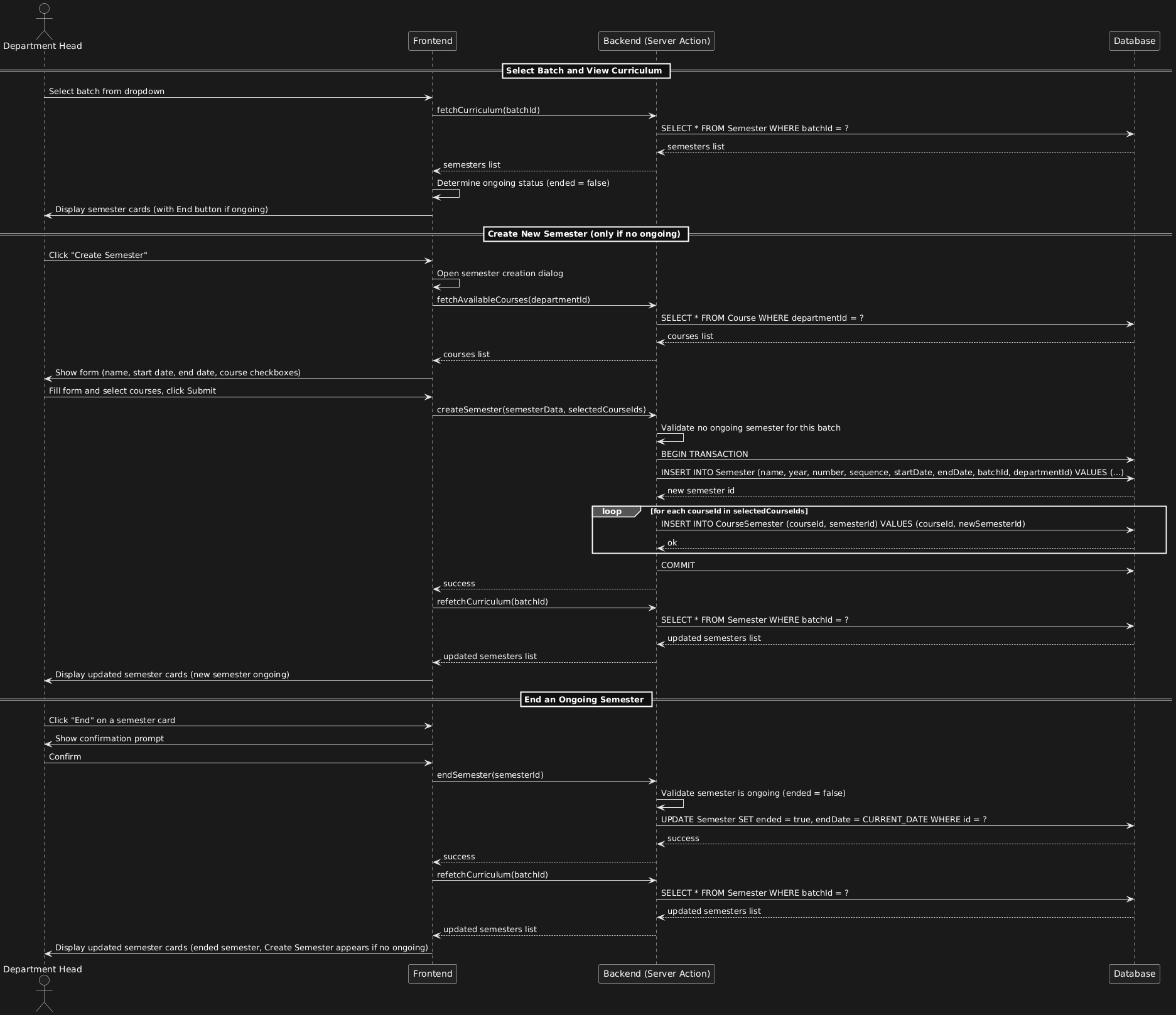
This diagram shows the complete workflow for a department head to manage semesters for a batch: viewing curriculum, creating a new semester (only when no ongoing semester exists), and ending an ongoing semester.
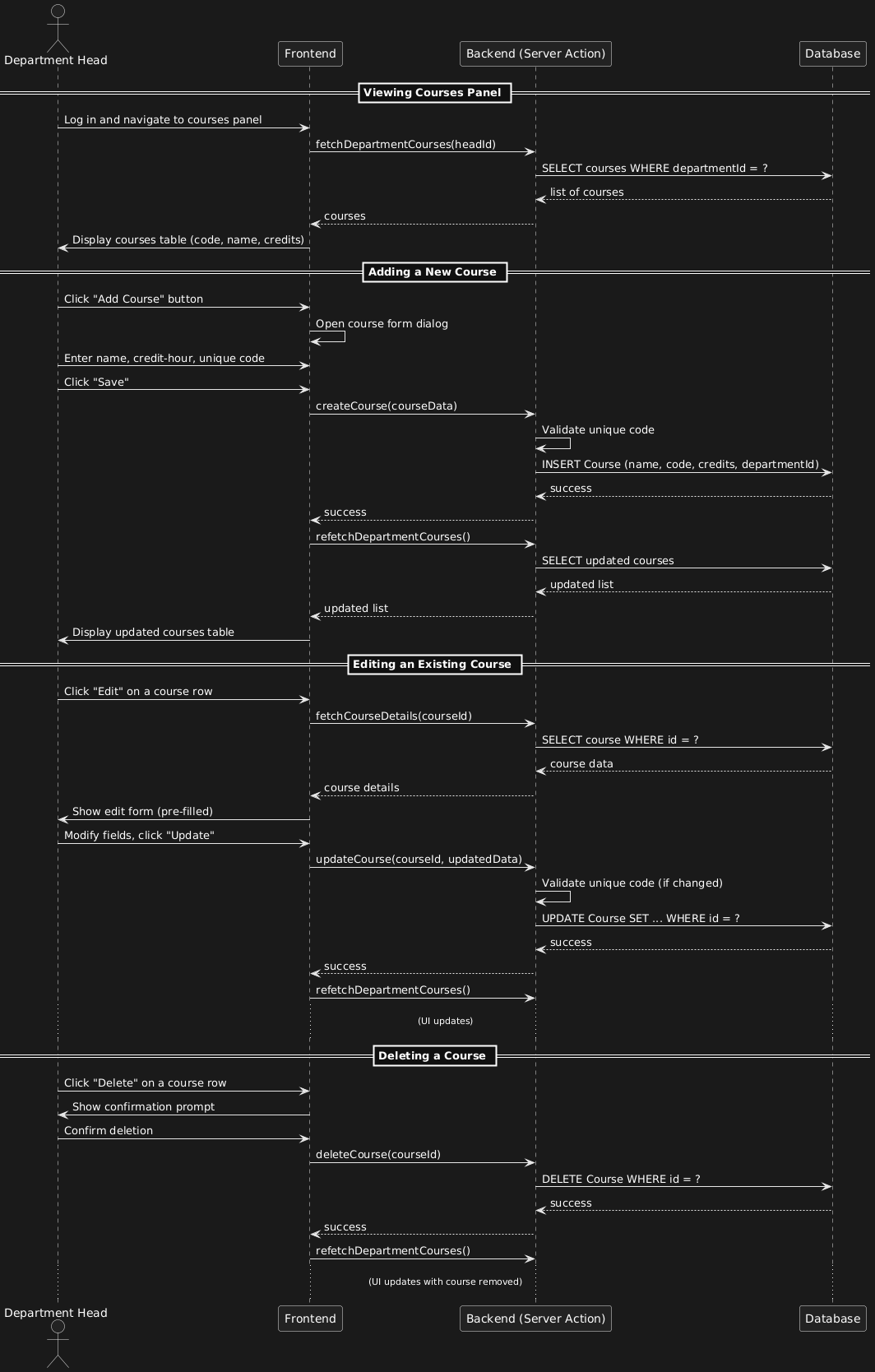
This diagram shows the full CRUD workflow for department heads managing courses: viewing the list, adding new courses, editing existing ones, and deleting courses.
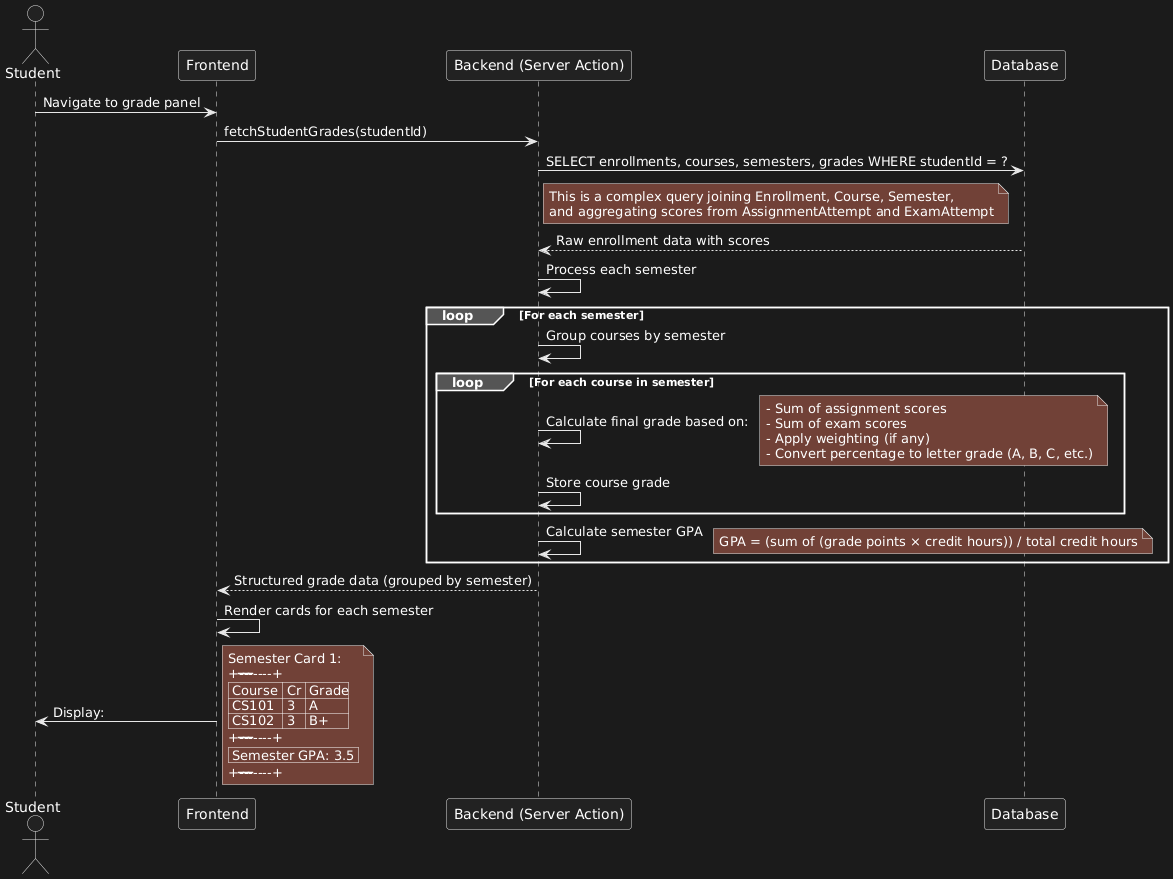
This diagram shows how the system aggregates student performance data from assignments and exams, calculates final course grades and semester GPA, and presents them in a card‑based interface.
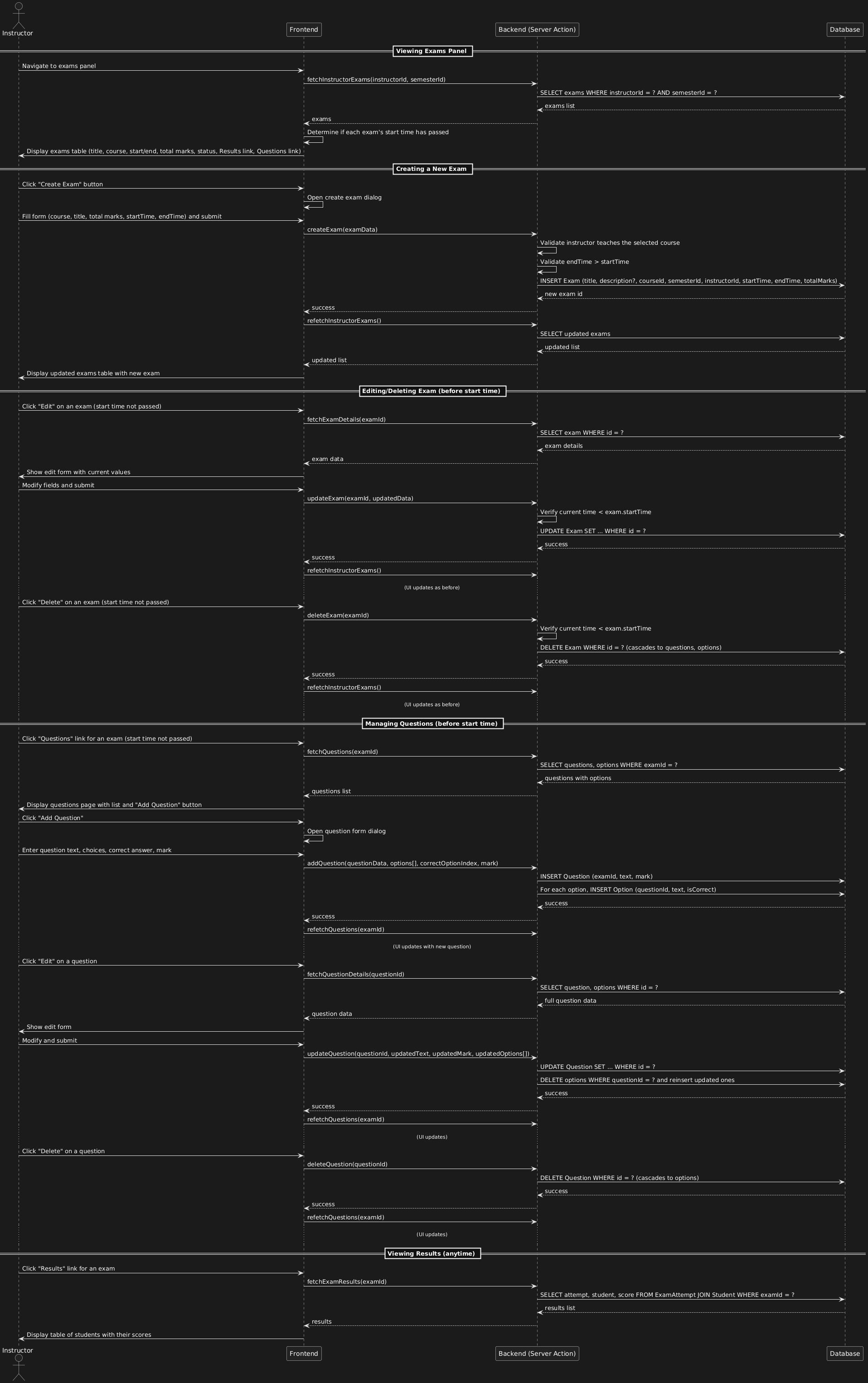
This diagram illustrates the full instructor workflow for exam management: creating/editing/deleting exams, managing questions (only before start time), and viewing student results.
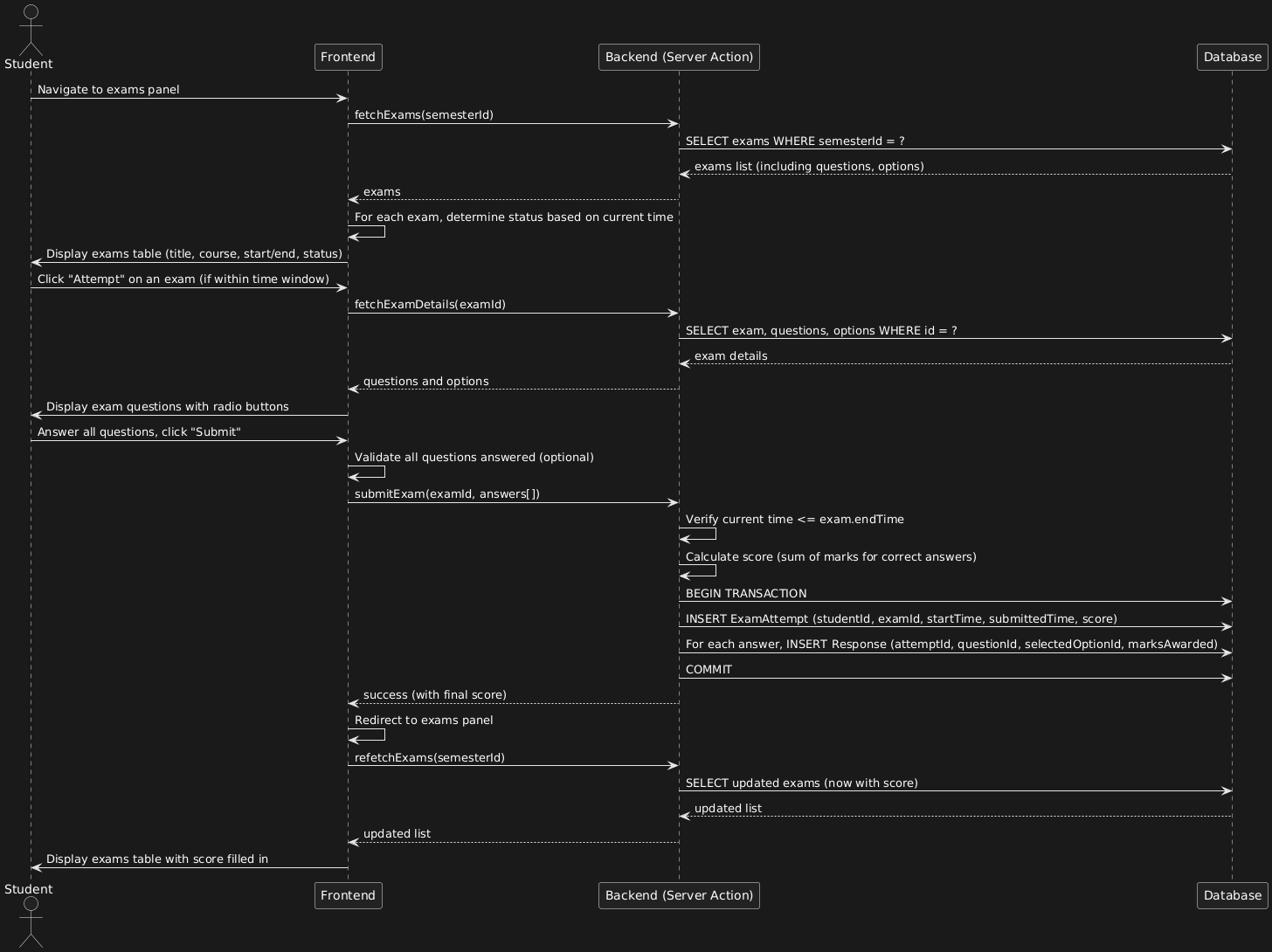
This diagram covers the student's flow from viewing available exams to submitting answers and seeing the automatically calculated score.
This is the sequence diagram for Registrar Approving Student Registration
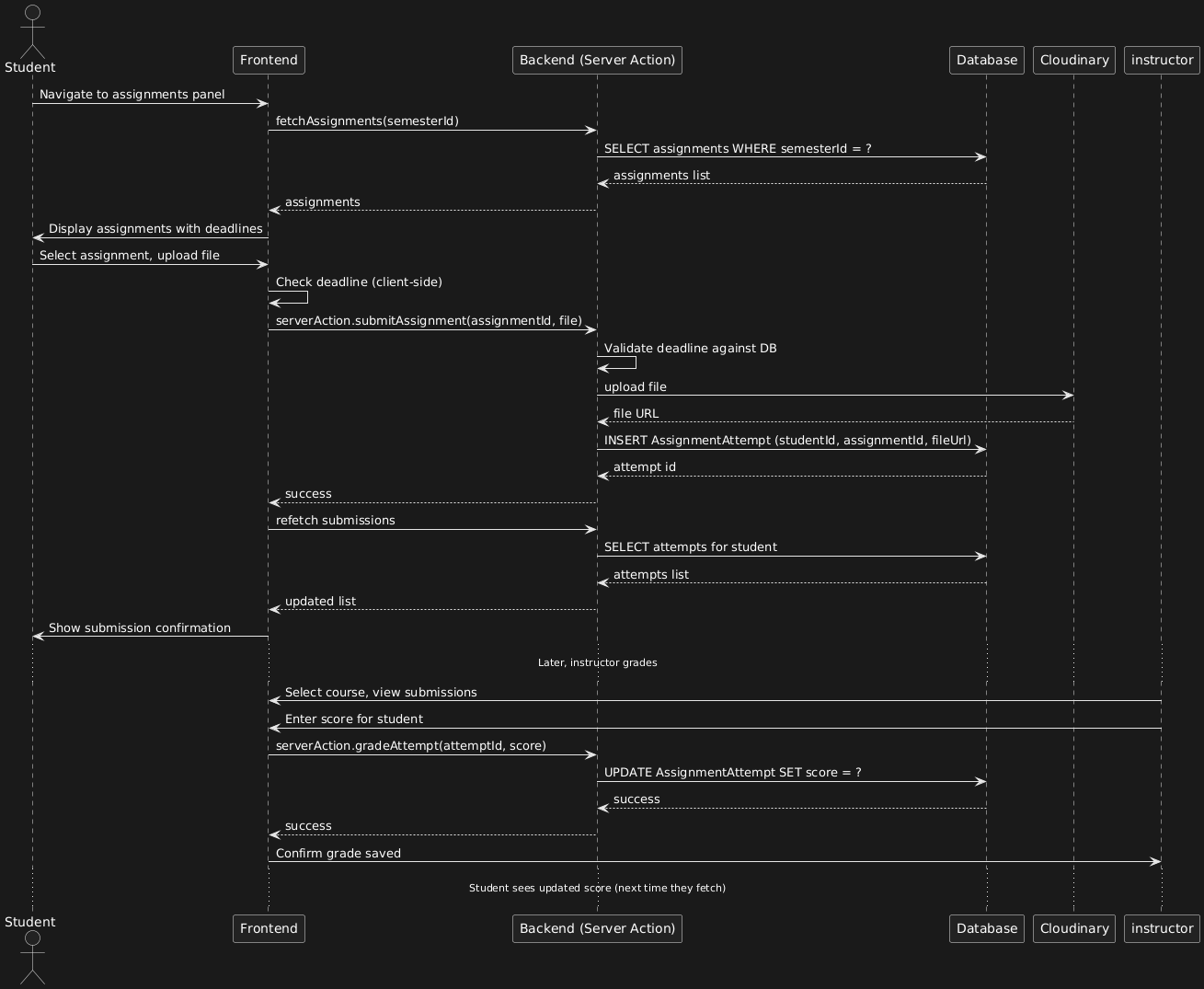
This is sequence student assignment submission with deadline enforcement.
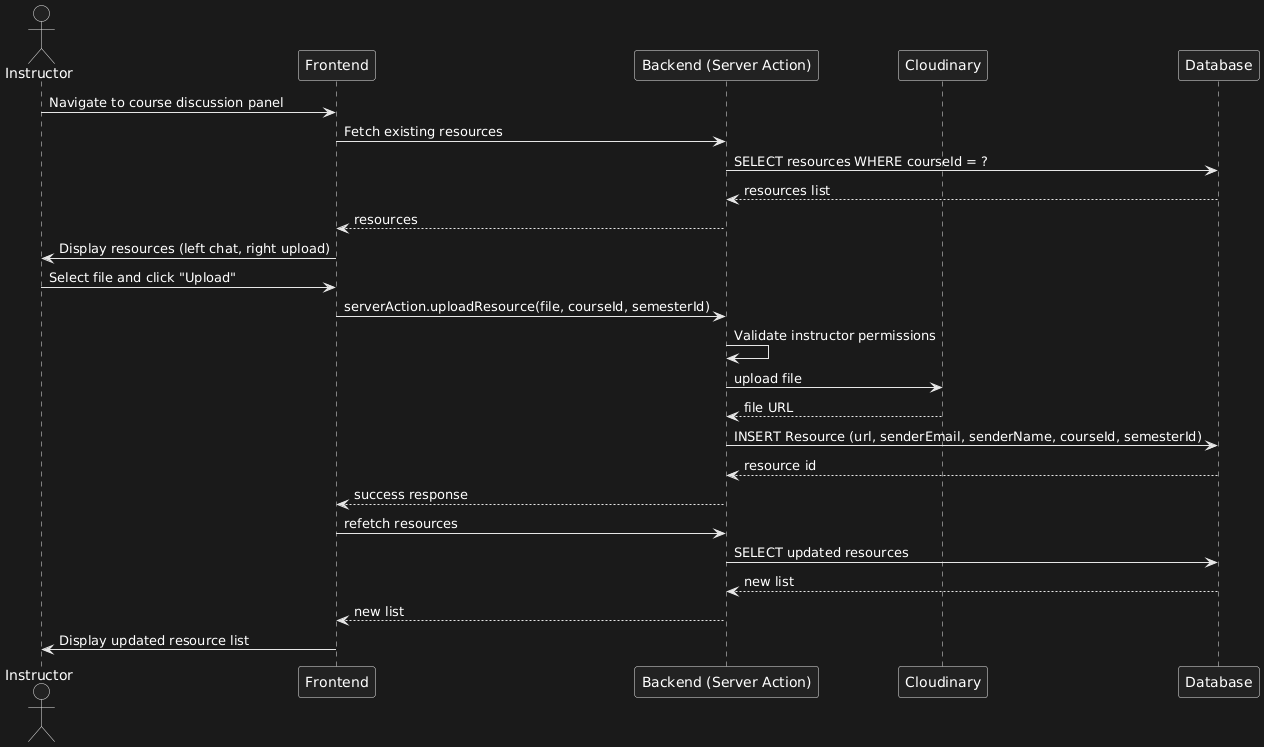
This is sequence diagram for instructor uploading resources.
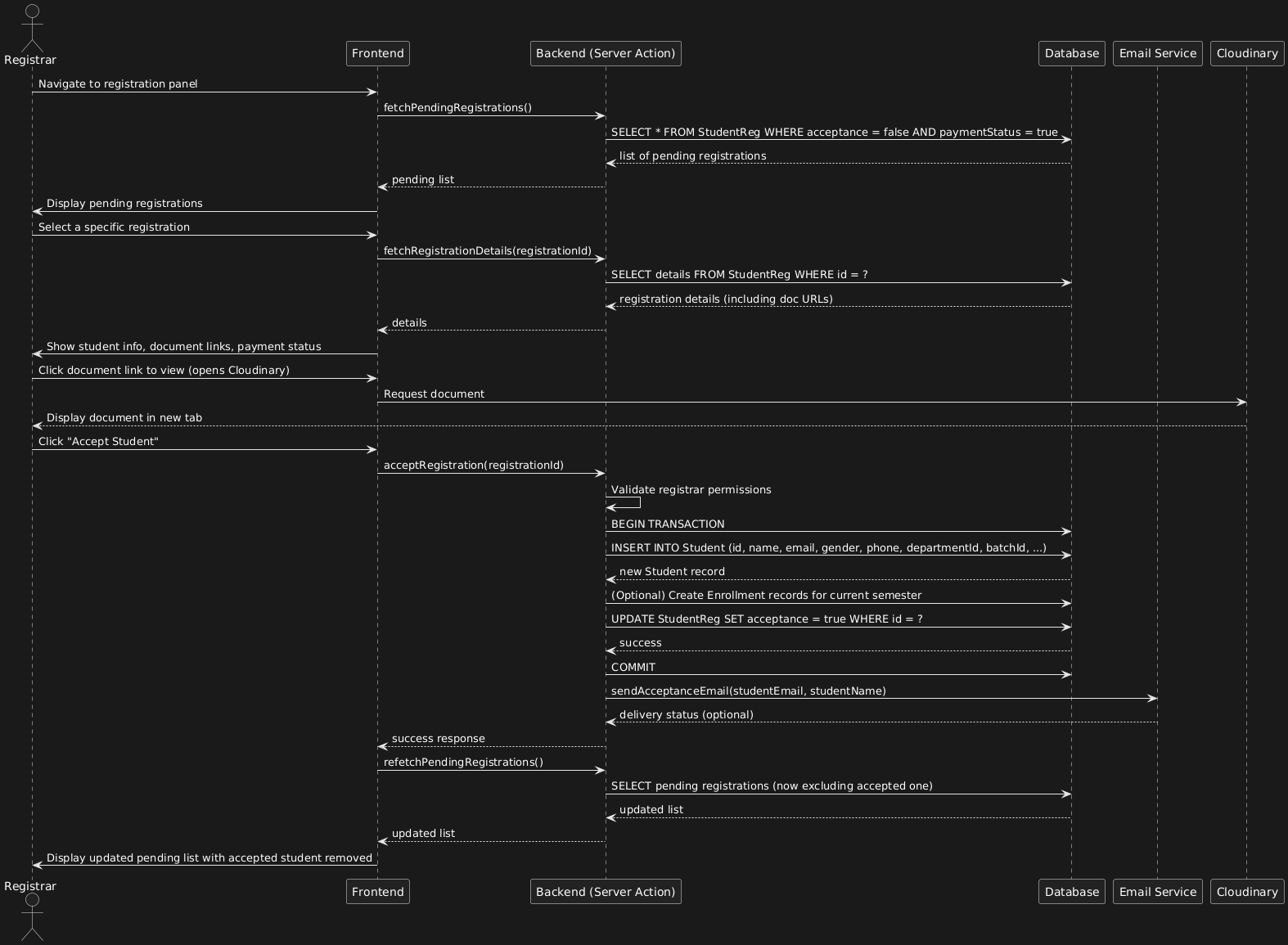
This is sequence diagram for student registration for the department for the first time.
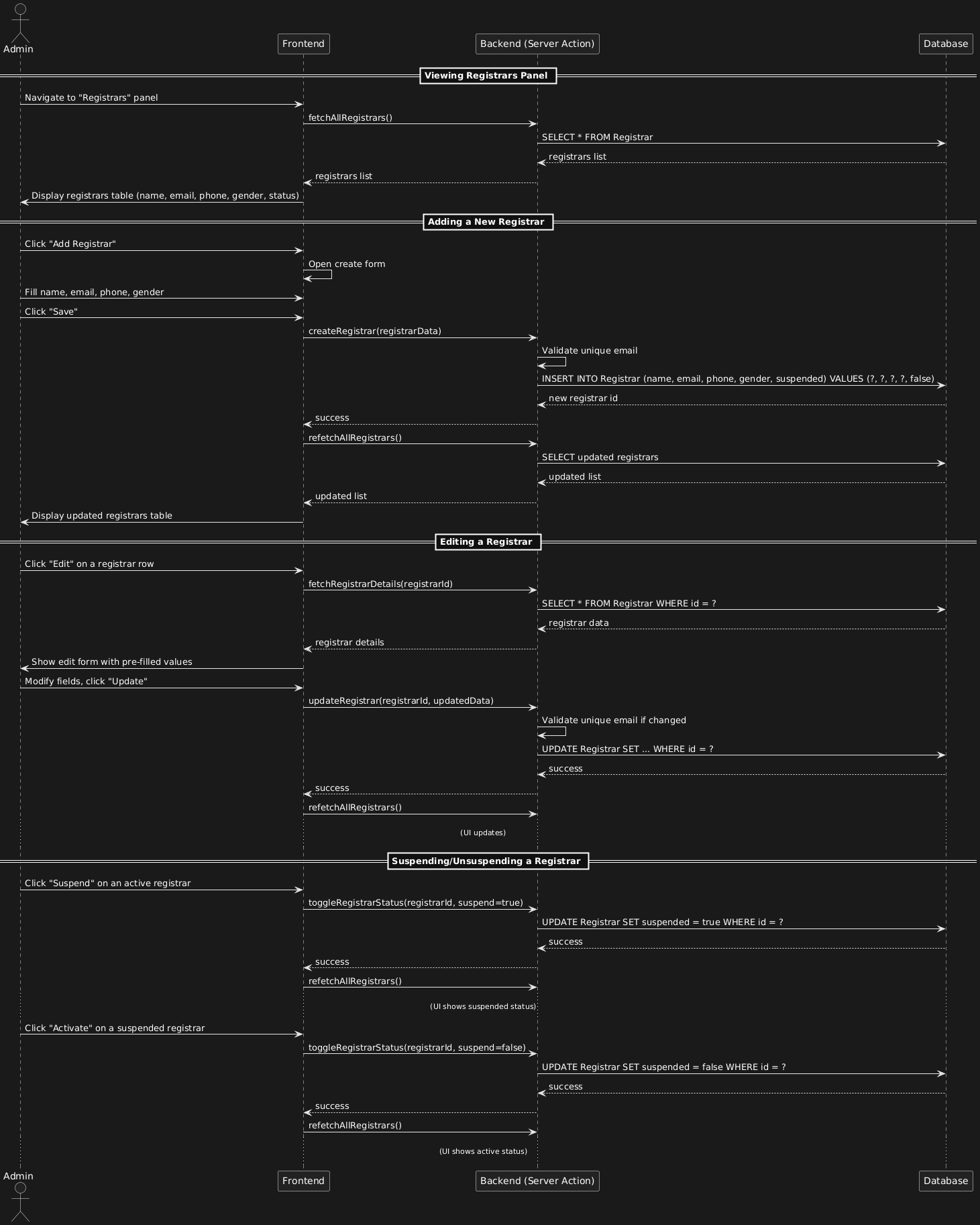
Admin manages registrars (full CRUD with ability to suspend/activate).
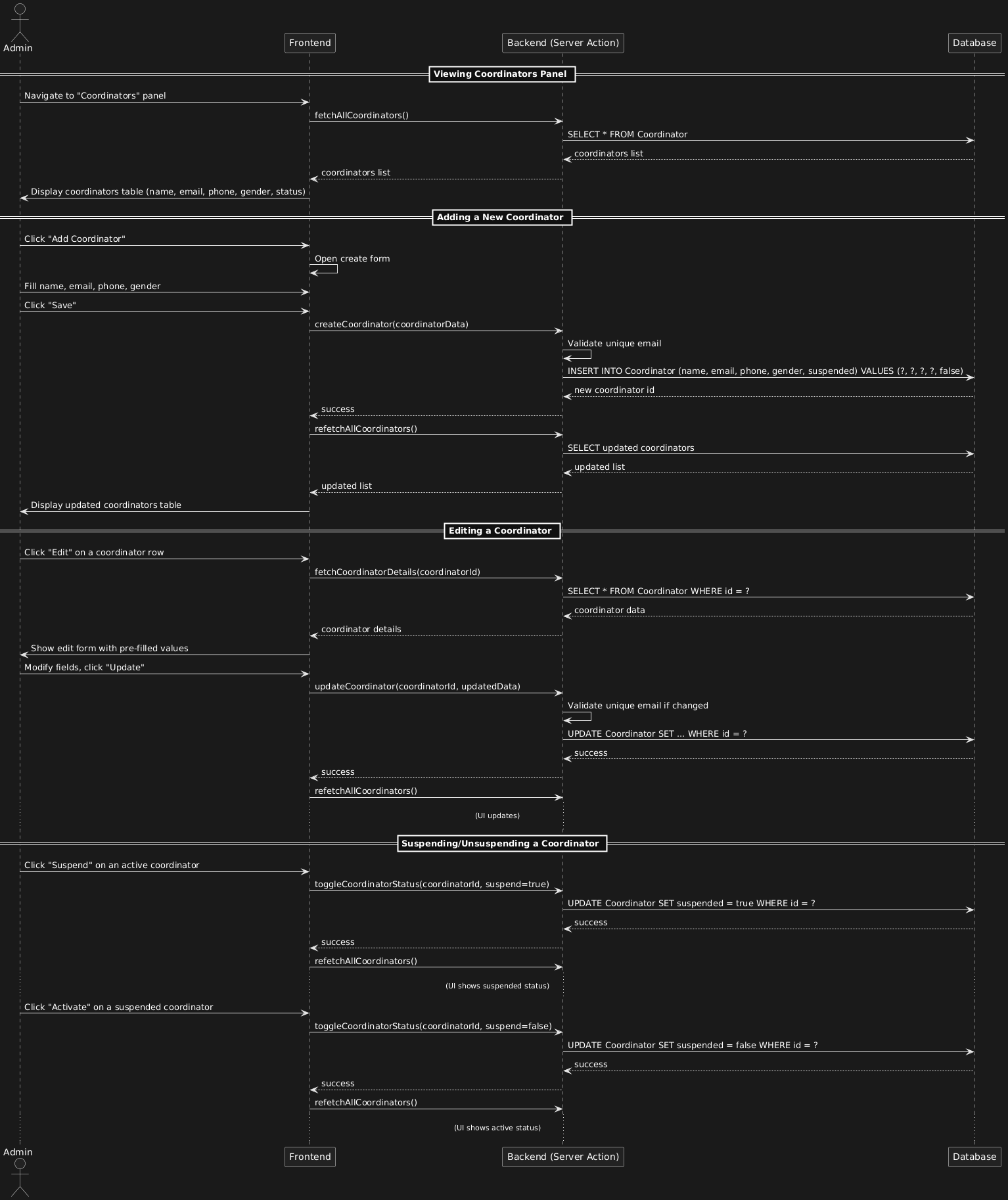
Admin manages coordinators (full CRUD with ability to suspend/activate).
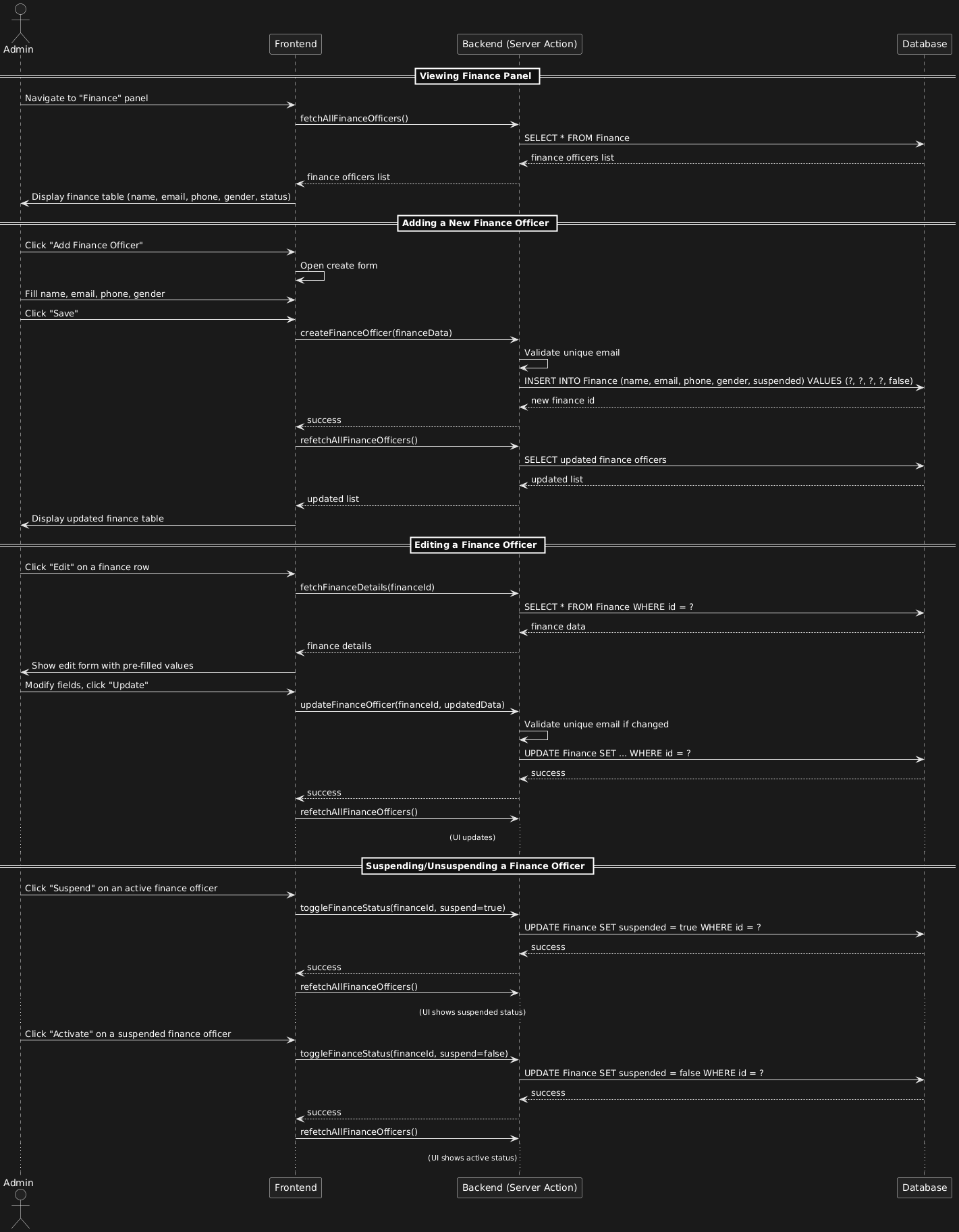
Admin manages finance officers (full CRUD with ability to suspend/activate).
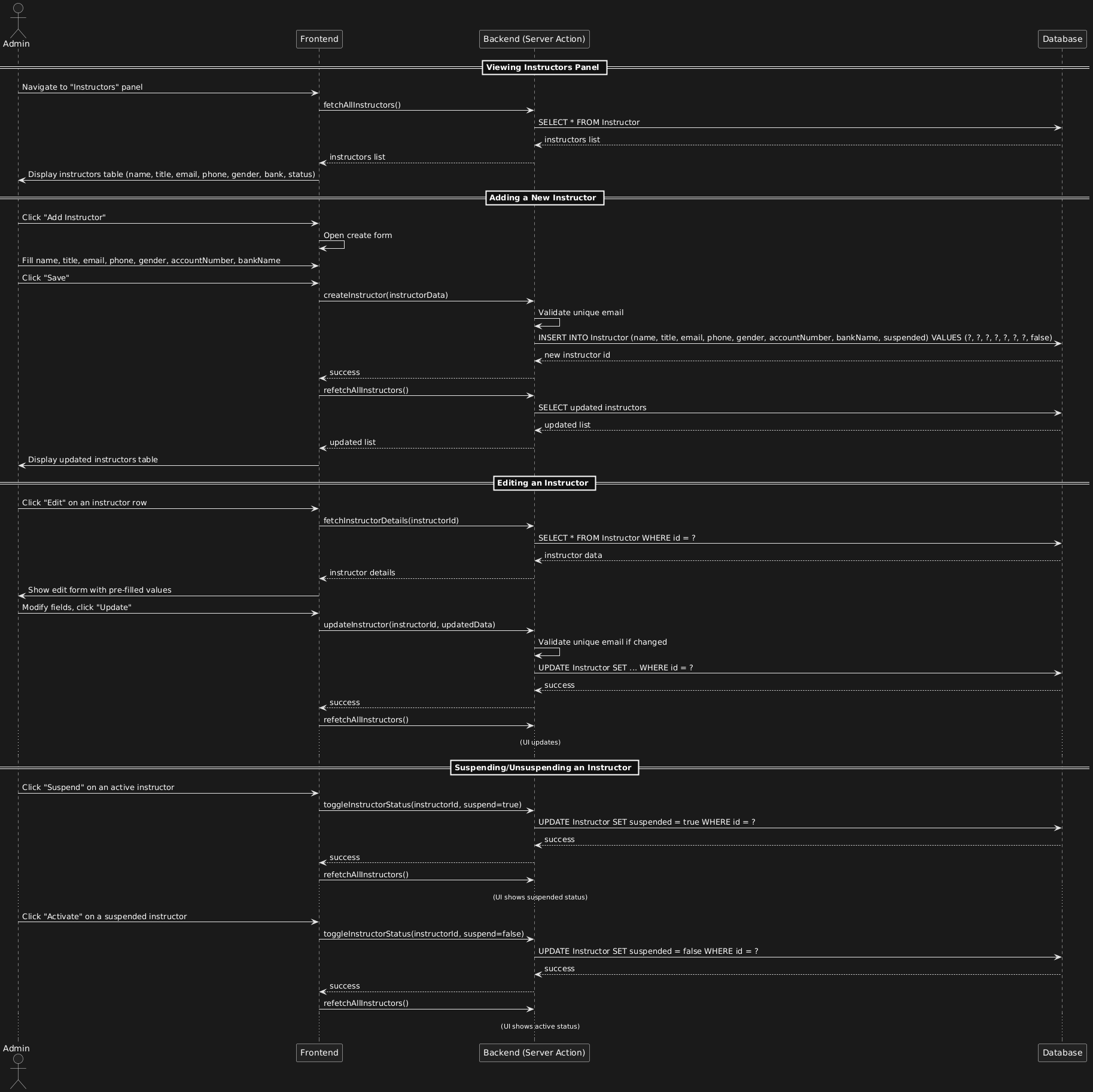
Admin manages instructors (full CRUD with ability to suspend/activate).
No sponsors yet. Be the first!
Become a Sponsor